How to keep customer measurements on your phone
Every tailor has a system for measurements. Some use a notebook. Some type them into phone notes. Many send them to themselves on WhatsApp.
All of these work at the start. The trouble comes later.
Where the usual methods fail
The notebook. It can get lost, torn, or soaked. When it goes, every customer's sizes go with it.
Phone notes. Better than paper, but every note looks the same. After a few months you have hundreds of notes and no easy way to find one customer's agbada sizes.
WhatsApp chat with yourself. Measurements get mixed with voice notes, style photos and reminders. Finding Mr Bayo's sleeve length means scrolling for a long time. And if you change your phone without a chat backup, the messages may not come along.
What a good system looks like
Whatever you use, a good system for measurements should let you:
- Find any customer by name in seconds.
- Keep separate sizes for each style. A customer's agbada sizes are not the same as their fitted senator sizes.
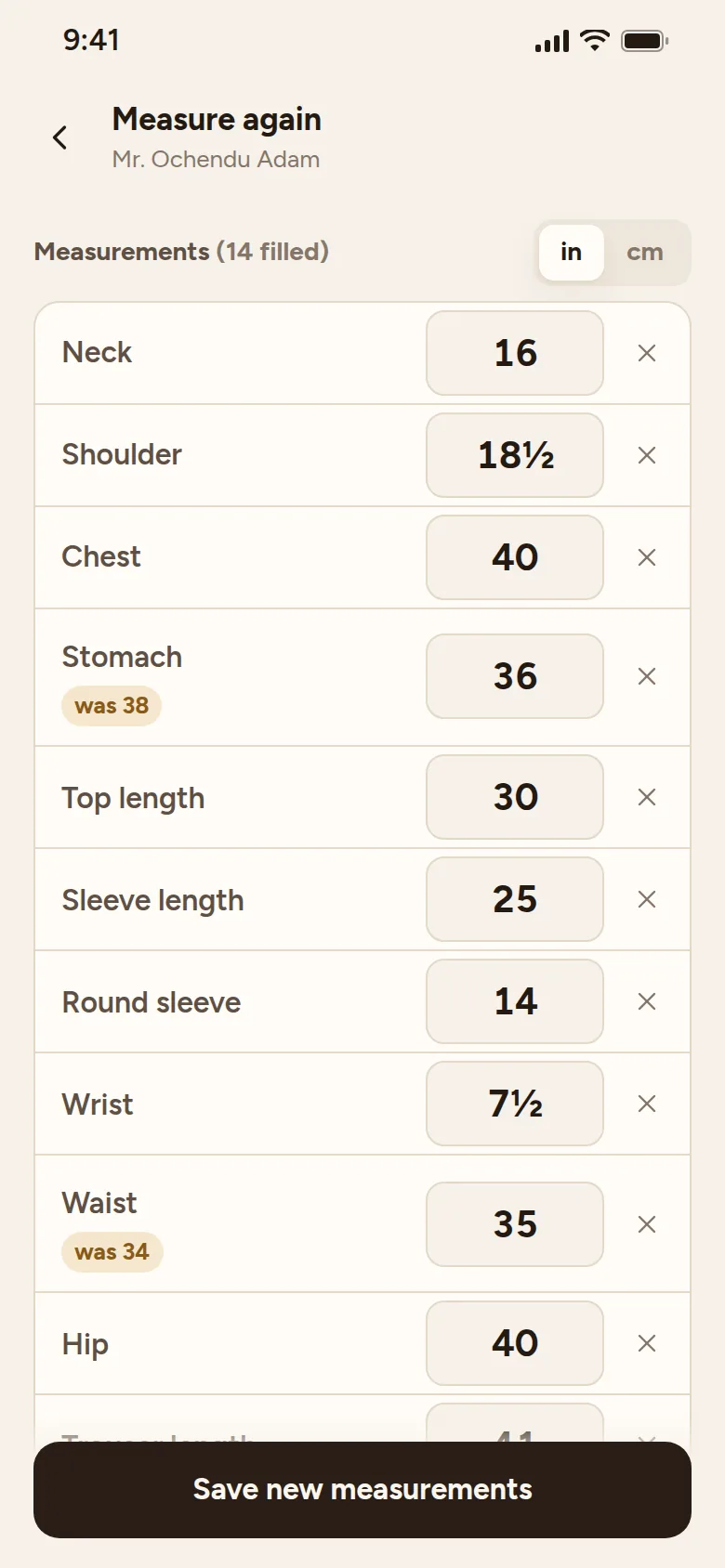
- Keep old sizes when you measure again, so you can see what changed.
- Note the date you took the measurements.
- Make a backup copy, so losing your phone does not mean losing your work.
How to do it in Tailorshoppe
Tailorshoppe is a free app made for this. There is no sign up, and your records stay on your phone.
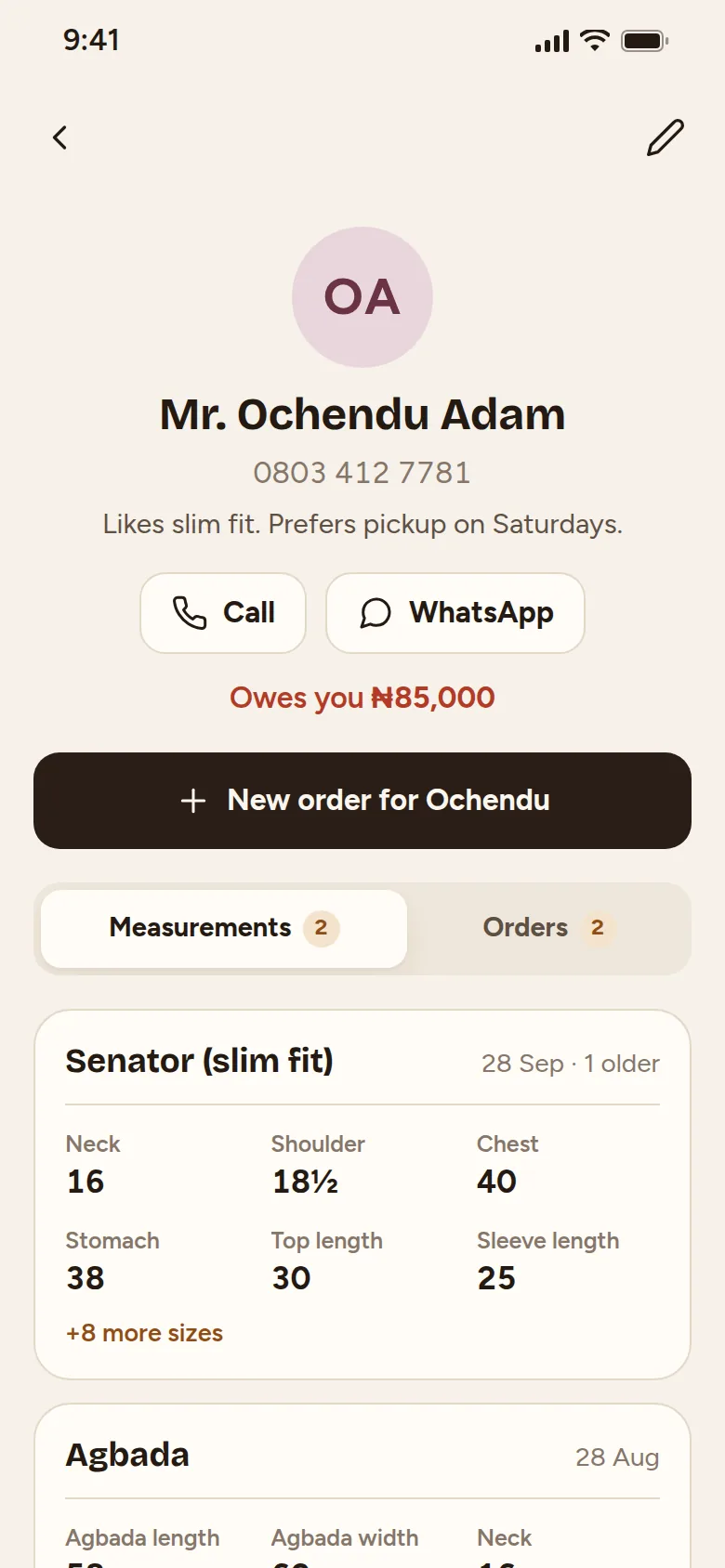
- Open tailorshoppe.com.ng in Chrome (or Safari on iPhone), tap Open Tailorshoppe, and add it to your home screen.
- Tap Add customer and type their name and phone number.
- Tap Measure and pick the customer, then tap Measure for a new style. Choose the style (for example Agbada, or Kaftan / Senator) and type the sizes.
- Save. The sizes now sit under that customer, by style.
- When the customer comes back and their body has changed, tap Update sizes, then Took new sizes. The old ones are kept, so you can see the difference.
- Once in a while, tap Back up now and save the copy to your Google Drive or WhatsApp. If you change phones, you can bring everything back from that copy.
It works without data after the first time you open it.